2026-22
Notch on My Watch
I have had the (dis)pleasure of using a notched display on my laptop (a Macbook Air). Today, on the flight Helsinki, I thought I might do something about it.
Typically, graphical applications on MacOS tend to draw in the "safe area", which is, to offset a certain amount from the top of the screen to avoid drawing over the notched area. The system fills up the space next to the left and right of the notch with a menu bar. This menu bar is quite pointless for applications like alaritty, that don't expose any actions.
First, force alacritty to begin drawing its window over the unsafe area:
window = {
  decorations = "None";
  startup_mode = "SimpleFullscreen";
};
Then, setup I setup tmux to draw a statusline in the unsafe area, spanning two lines:
set -g status 2
We can now fill up these statuslines with useful info, as I have done here:
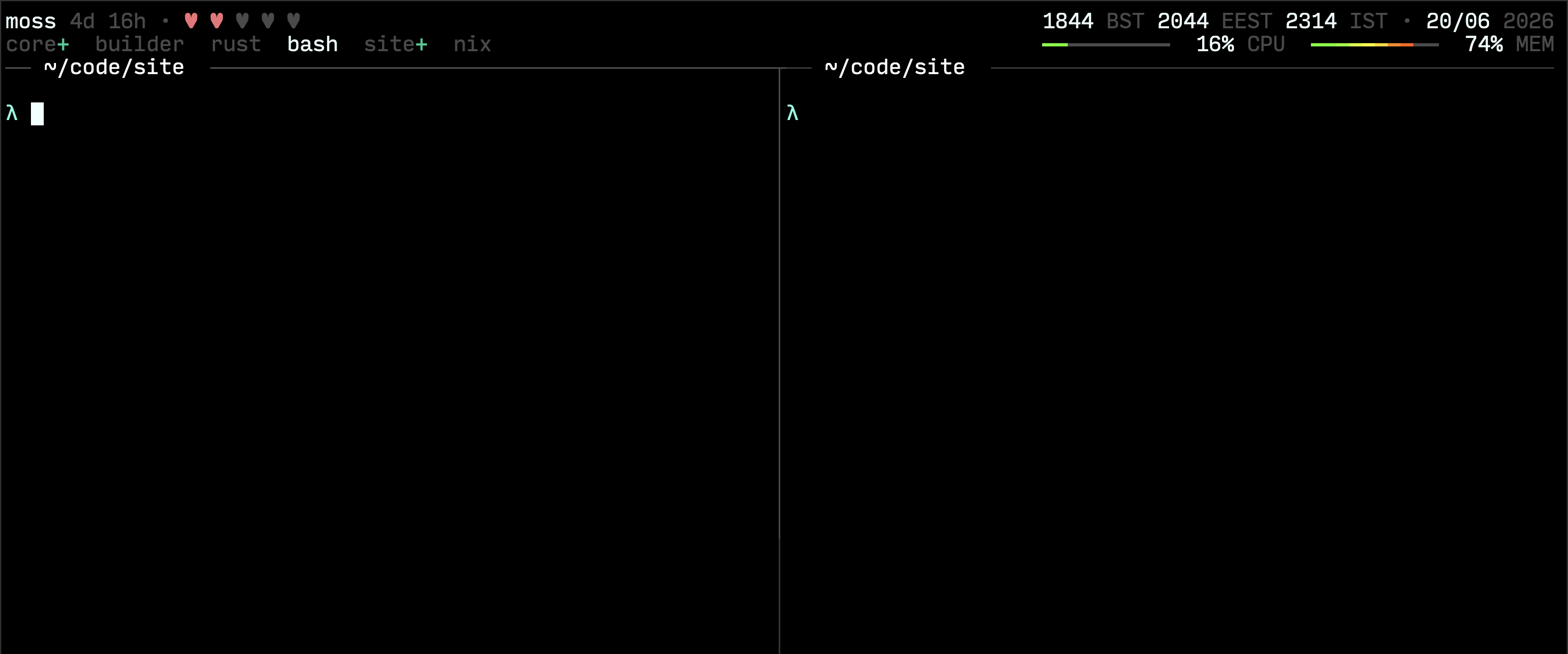
I want to take this a step further and have it behave like iOS's "Dynamic Island", and have active statuses in the notched area, I'll have more to say about that soon!
Wrangling Notifications
Everytime I open Tangled, I am flooded with notifications. It is expected, the tangled.org/core repository is fast moving! I often find that getting to inbox zero is more a matter of discipline (I tend to get distracted) rather than difficulty. So I've put in something called "Focus and reply". Very simply: when you have a collection of unread notifications that need attention (a newly opened issue, a mention on a review thread), you can pick "Focus & reply":
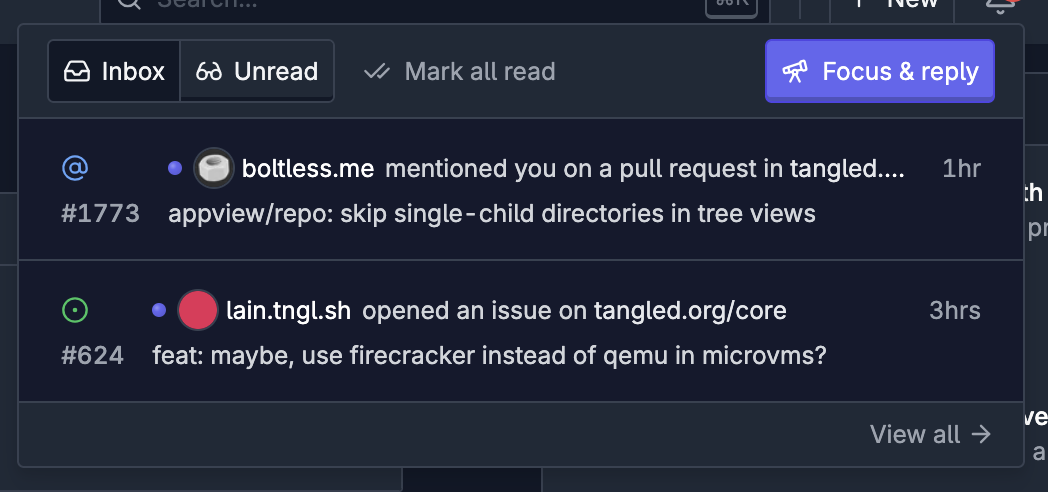
... to quickly run through each unread notification in series, to completion:
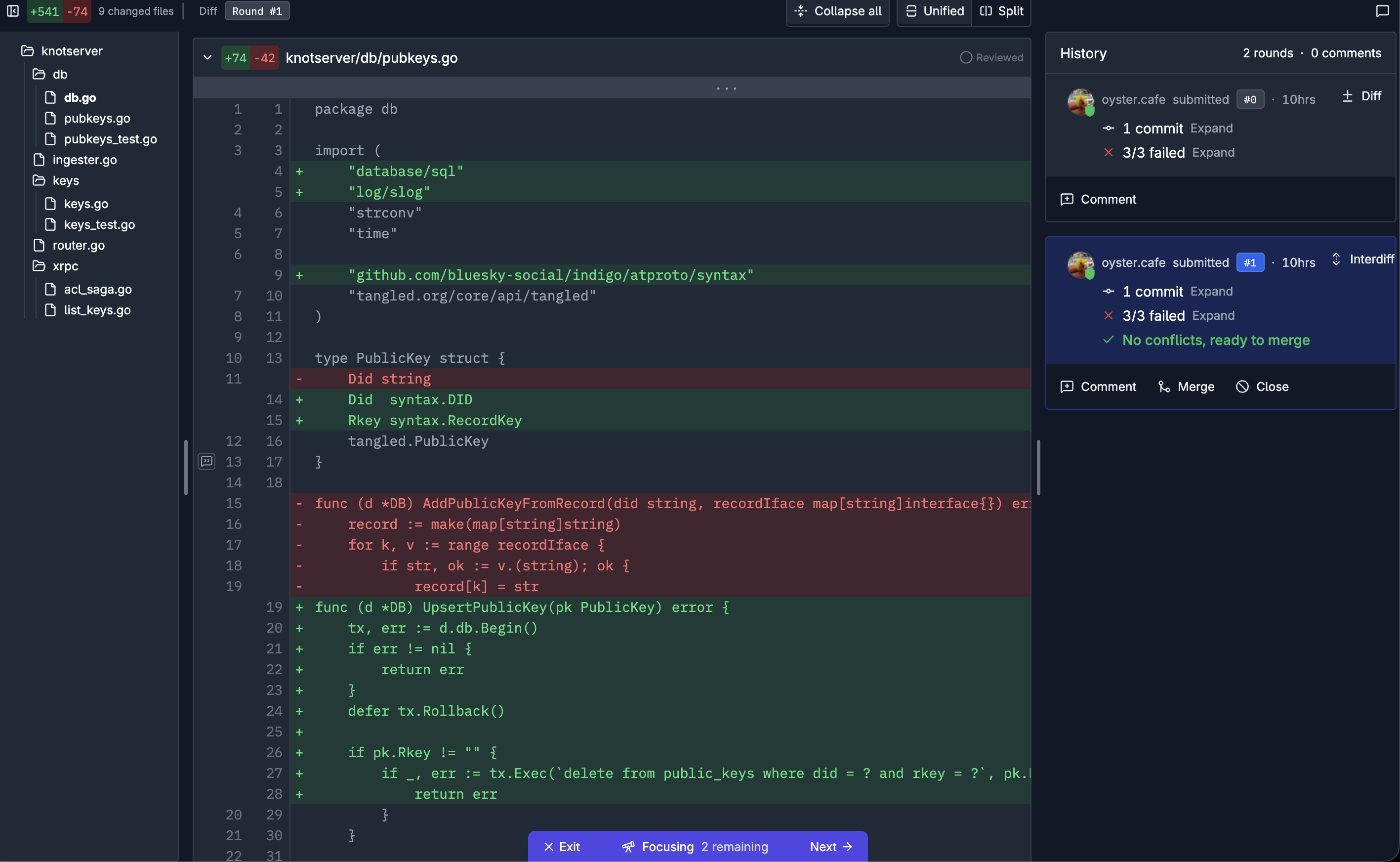
The pill at the bottom serves as a reminder and also as a quick way to move to the next item in the queue.
Else
I've not got much else hacking to do this week, as I will be attending my brother's wedding at Florence!